Features
Everything ClinicBase does for your clinic today, from the first booking to the invoice. On the computer, the tablet and the phone, also as an app on your home screen. The screens below come from the demo, with fictional data.

Agenda
Your day at a glance, and quick to change.
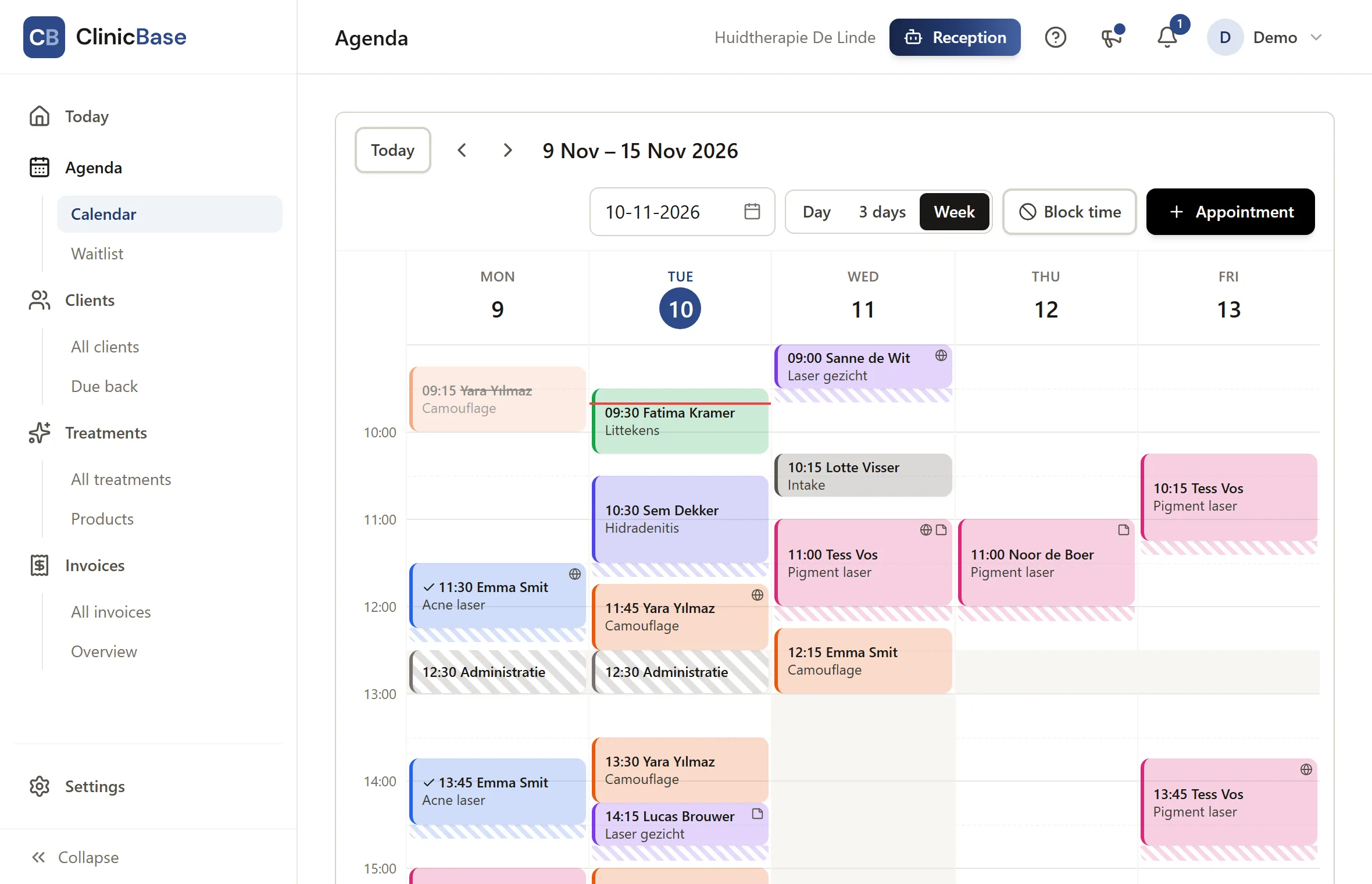
Day and week
Switch between the day and week view. Every treatment has its own colour, so you see what is coming.
Plan and drag
Make an appointment and look up the client, or create a new client right away. Move appointments by dragging them; the client gets a message if you want.
Block time
Block time for admin, meetings or something private, so nobody books into it online.
Done and no-shows
Mark an appointment as done or as a no-show. From a finished appointment you make the invoice.
Opening hours
Per weekday, with breaks, and exceptions for holidays and days off. Online booking follows them by itself.
With your team
Invite staff by their email address; they get their own login for the agenda, clients, forms and invoices. Settings, prices, payments and revenue stay with you. From Plus: €9 per staff member per month, €12 on Pro.
Online booking
Clients book when it suits them, without an account and without calling.

Your own booking page
At its own address, with your logo and colour. Clients choose a treatment and a time and fill in their details. Works on every phone.
Only times that are really free
Free times are worked out from your opening hours, exceptions, existing appointments and the preparation and aftercare time of each treatment. Two people can never book the same time.
Your rules
How far ahead clients can book, how many hours in advance at least, until when they may cancel themselves, and whether new clients may book online.
Details for the insurer
For a medical treatment the booking page also asks for the date of birth and the insurer, so the invoice is complete later. Not for cosmetic treatments.
Move and cancel
Through the link in the confirmation, within your cancellation period. After that the client sees your phone number.
On your own website
A booking button or an embedded booking page, ready to copy into WordPress, Wix or any other site.
Emails and notifications
Clients know where they stand, and you miss nothing.
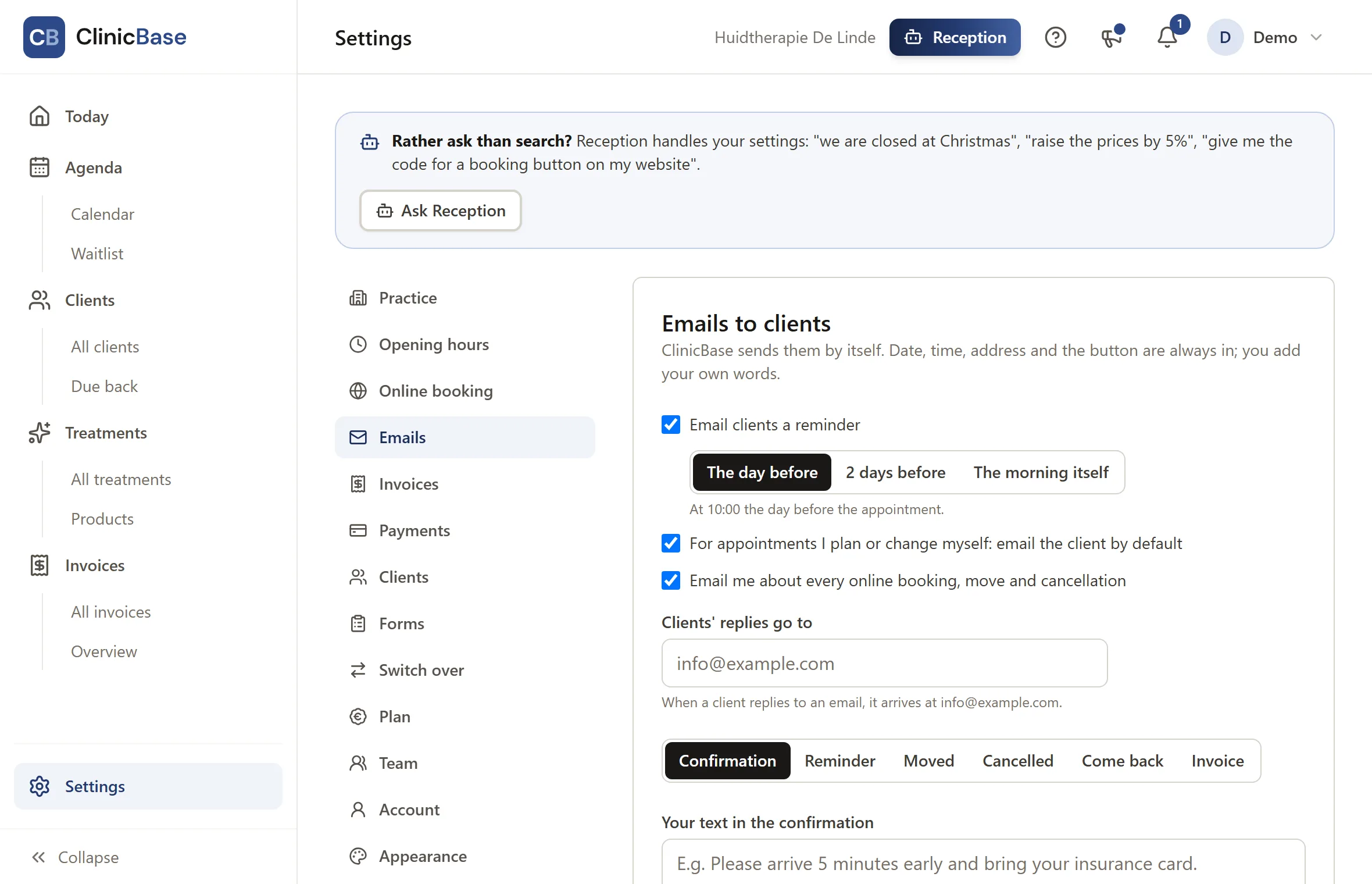
Confirmation
Right after booking, with the date, time, address, a calendar file for the client's agenda and a button to manage the appointment.
Reminder
The day before, two days before or the morning itself; you choose. Fewer no-shows without having to call.
Moved and cancelled
A message with every change, also when you move an appointment yourself.
In your name and style
Your own texts, closing and colours, with a preview and a test email. The emails come from your practice name; clients' replies reach you.
Notifications for you
New bookings, moves and cancellations in the app and by email if you like. Plus what still needs doing: a client arriving in half an hour, or medical appointments missing details for the insurer.
Clients, files and treatments
Everything about a client in one place: the file as your profession asks for it, and your treatments exactly as you give them.
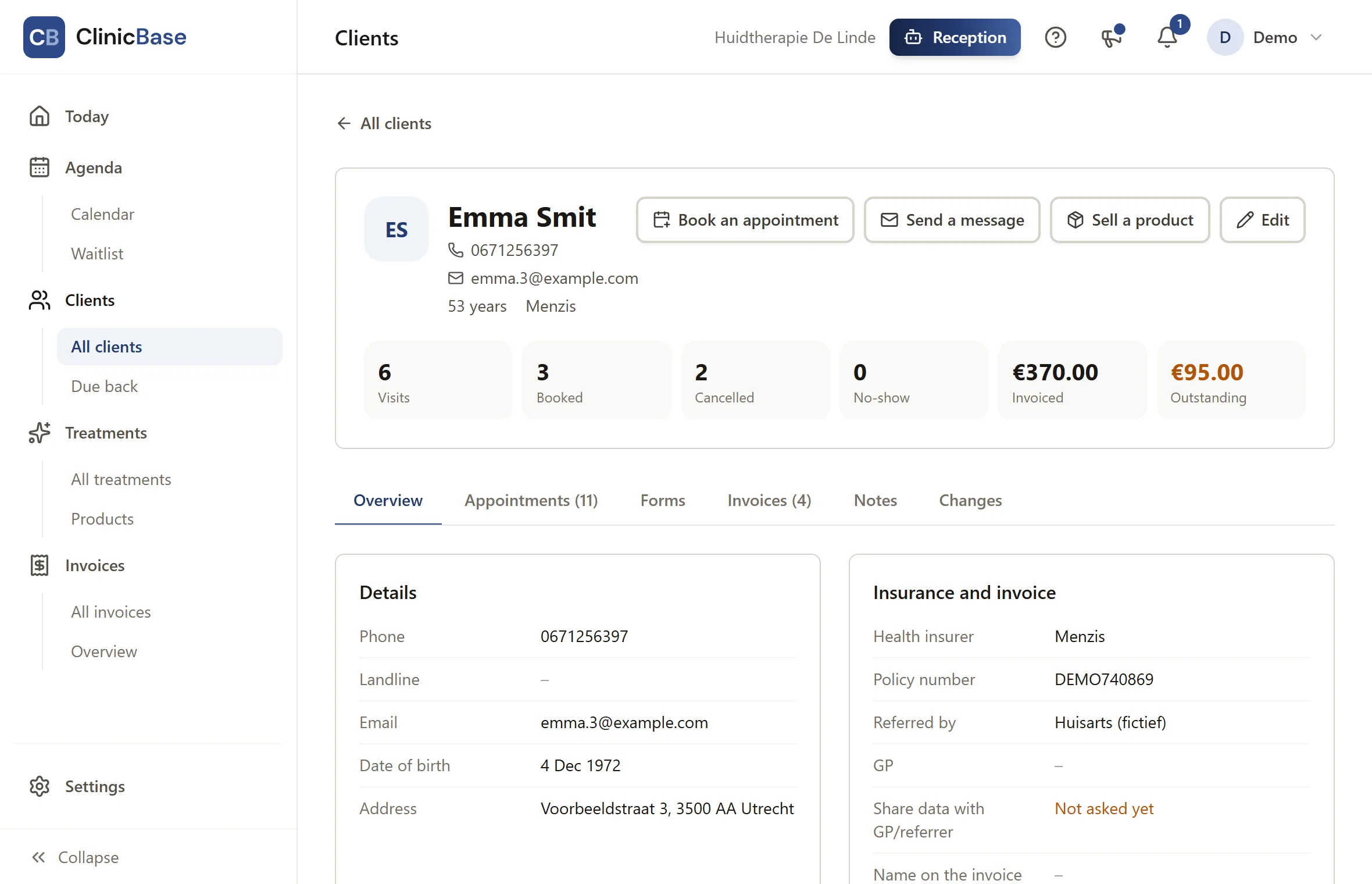
Client page
Contact details, insurer, referrer, GP and consent to share details with the GP. With tabs for appointments, forms, invoices, notes and changes, and the number of visits, no-shows and what is still open.
Intake and informed consent
Make your own intake, screening and consent forms, or start from an example. You fill them in during the intake, or send a link so the client fills it in at home; the client or the practitioner signs digitally by name. A signed form is never changed again: for a change you fill it in anew and earlier versions are kept.
Red flag list
Mark yes/no questions as a red flag. On a "yes" a warning shows at the top of the client page. The examples for the direct access screening (red flag list), the medical history and informed consent for laser and IPL follow the guideline of the Dutch association of skin therapists (NVH).
Citizen service number if you want
Only if you switch it on, and checked with the eleven test. When it is off, it cannot be stored anywhere.
Treatments
Duration, preparation and aftercare time, price, colour, and whether the treatment can be booked online. Old treatments you archive; the history stays.
Medical or cosmetic
One choice per treatment: medical (reimbursable, no VAT, with procedure code and care pathway) or cosmetic (with VAT).
Invoices
At the end of the treatment, ready in a few taps.
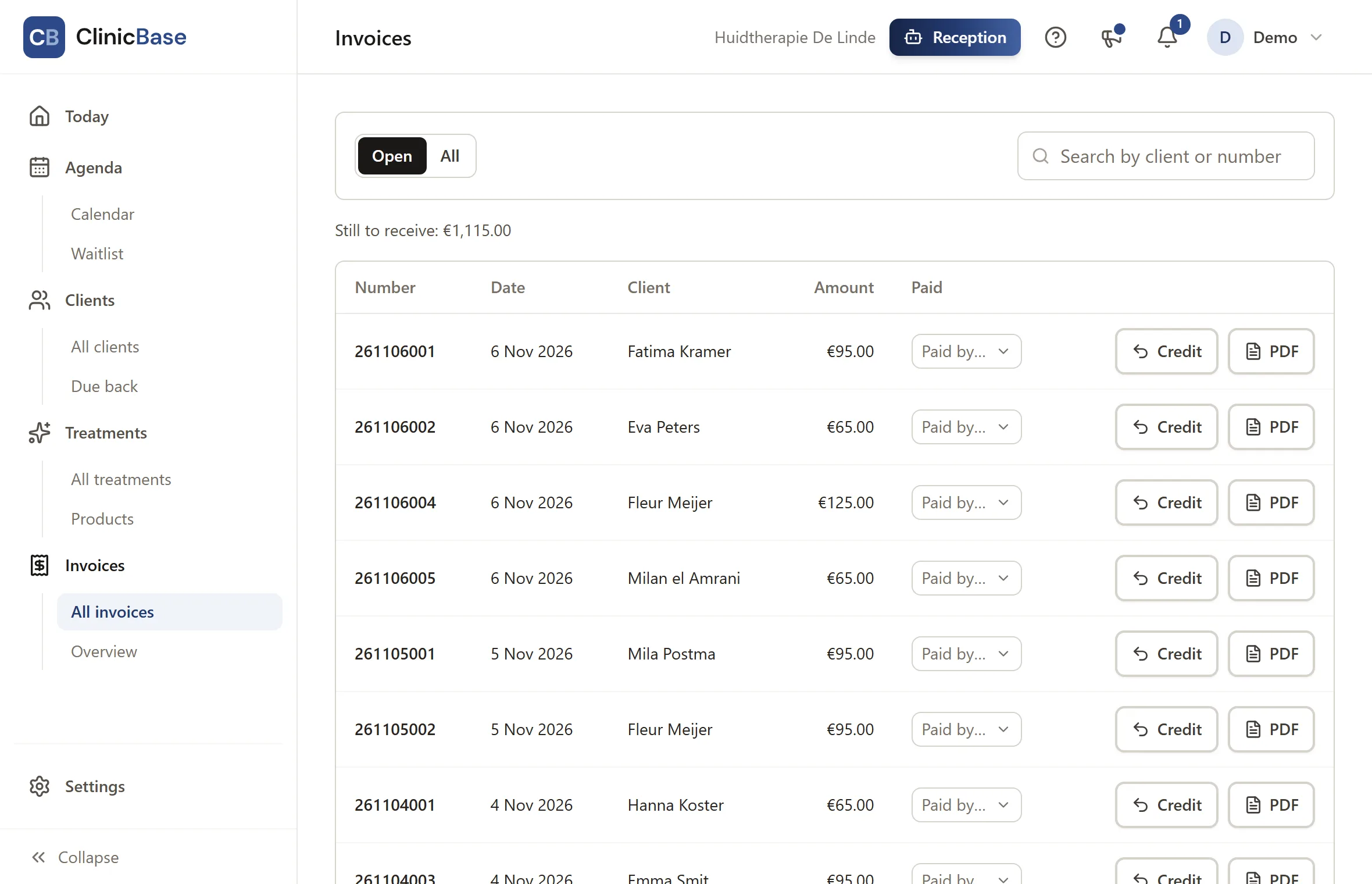
From the appointment
Everything is already filled in. Put several appointments of the same client on one invoice and change the price per line if needed.
Checked for the insurer
If a date of birth, insurer, AGB code or procedure code is missing, you see it before the invoice is made.
Emailed as a PDF
Look at the PDF first and email it to the client in one click. An invoice that was sent is never overwritten.
In your house style
Your logo, colours, practice details, payment details and texts, with a live preview while you change them. Numbered in sequence per day.
Online payment
With the Plus plan: the client scans a QR code at the desk and pays with iDEAL or a card on their own phone, or clicks the pay button in the invoice email. The money goes straight to your account and the invoice is marked paid by itself.
Credit notes
A mistake on an invoice? Credit it in one click and make a new one. The original invoice stays, as the law requires.
Overview
All invoices on one page, with what is still open and what is paid, and the revenue per month, quarter and year.
Up and running fast
A working agenda within a few minutes.
Switching from Salonized or another system
Load an export of your treatments, clients and appointments. AI recognises the columns; only the column names go to it, never the data. You see everything before it is saved.
Set up from your website
AI reads your website and proposes treatments, prices, opening hours and address. You check every step and only save what is right.
A starting list per profession
Choose your profession and start with the usual treatments already filled in.
A checklist
The start page shows what is left: contact details, opening hours, treatments, confirming your email address and switching on online booking.
Dutch and English
The app and the booking page in both languages.
See how it works?
Click through the app with an example practice yourself, or start free right away.